I’ve just opened Rekordbox, so I’m going to run through a few things I do in my workflow that I genuinely think most DJs are sleeping on.
Some of these are basic once you know them, but they can completely change how fast you prepare music, how quickly you can move through tracks, and how much control you have when you’re actually playing.
Let’s start with cue points and hot cues.
Rekordbox has two different types of cues: memory cues and hot cues.
You get 10 memory cues per track, and you get 8 hot cues.
Most people either ignore memory cues completely, or they use memory cues and hot cues for the same thing.
I don’t.
I use them for completely separate jobs.
Memory cues are for preparing the track before I’ve started playing it.
Hot cues are for jumping around while the track is already playing.
That distinction is important.That distinction is important.
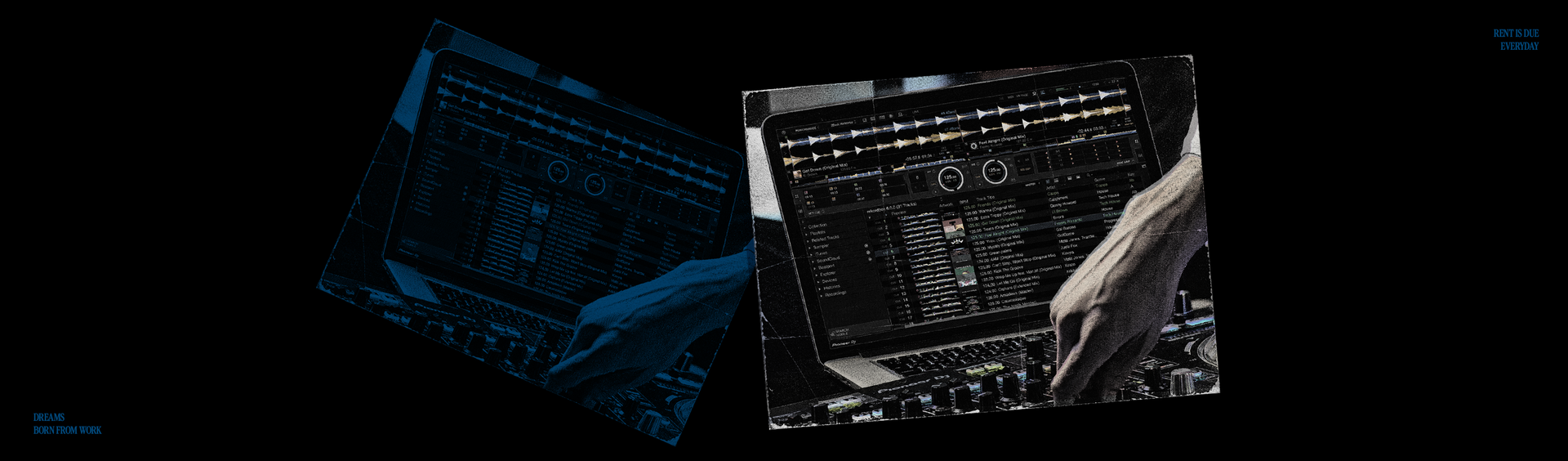
You can’t trigger memory cues once the track is playing in the same way you can trigger hot cues. So for me, memory cues are about speed when I’m searching through a track before I hit play.
I’ll usually place memory cues right through the structure of the track.
I might have one at the first bar, then 16 bars in, then 32 bars in. I’ll also put them at the start of breakdowns, intros, or any point where I might want to start the track from.
So when I’m loading a track, I can instantly jump to the exact section I want before pressing play.
Hot cues are different.
I’ll use hot cues for sections I might want to jump to while the track is already playing. For example, I might set a hot cue that lets me fast-forward straight to the outro if I need to get out of the track quickly.
That’s the first big mistake people make.
They don’t separate memory cues and hot cues.
Memory cues are for navigation before the track is playing.
Hot cues are for performance while the track is playing.
Now here’s where it gets more interesting.
Memory cues don’t just have to be static cue points.
They can also be loops.
This is one of the most useful things in Rekordbox, and I use it on loads of tracks.
Here’s how it works.
I’ll find a section of a track that I want to automatically loop. Then I’ll create the loop inside Rekordbox and press Memory.
Once I’ve saved that loop as a memory cue, you’ll see it appear in the memory cue section with a small orange loop marker.
If I click that orange loop marker, it turns red.
Once it’s red, that loop will automatically activate every time the track reaches that point.
It doesn’t matter whether I’m playing on a controller, a CDJ, or whatever setup I’m using. When the track gets to that point, it automatically goes into the loop.
That is incredibly powerful.
It means you can build safety points into tracks. You can extend sections automatically. You can stop a track from running out. You can create moments where the track gives you more time to mix without needing to manually hit loop in the middle of a set.
For me, that’s not just preparation.
That’s performance insurance.
Another thing I use memory cues for is moving through tracks quickly inside Rekordbox.
If you have memory cues saved, you can use the B and N keys on your keyboard to jump left and right through them.
That means if I’m preparing a track and I’ve already marked the key sections, I can move through the entire arrangement really quickly without dragging around the waveform.
There’s another way I move through tracks as well.
On the left-hand side of Rekordbox, there’s a beat jump number. Mine is set to 16 beats.
If you hover over it, it says something like “Change the number of beats to jump.”
Once that’s set, I can use the arrow keys on my keyboard to skip through the track 16 beats at a time.
This is super useful when I’ve just loaded in a new track and I want to set cue points quickly.
Instead of dragging through the waveform trying to find the next section, I can just jump through the track in clean 16-beat blocks and mark it up properly.
This saves so much time.
Now let’s talk about intelligent playlists.
This is another part of Rekordbox that a lot of people either don’t use properly or don’t use at all.
If you go to your playlists, right-click, and create a new intelligent playlist, you can build playlists that update automatically based on rules.
The main thing I use this for is genres.
When I load a new track into Rekordbox, I use My Tag to label it with the genres that apply to it.
I’ve created my own genre tags, so I might tag something as techno, melodic house, underground tech house, James Hype tracks, or whatever else makes sense.
You can create your own tags for as many genres as you want.
Then, when I create an intelligent playlist, I can make a rule like:
My Tag equals techno.
That instantly gives me a techno playlist.
And the best part is that the playlist updates itself.
Every time I add a new track and tag it as techno, it automatically appears in that playlist.
I don’t have to manually drag it in.
Then I can order that playlist by BPM, by key, or however I want to search through it.
That alone makes your library feel way more organized.
But this last one will blow your mind.

I also use intelligent playlists to show me which tracks I actually play the most.
I have an intelligent playlist called High Play Count.
The rule is:
DJ play count is more than 20.
Then I order the playlist by how many times each track has been played.
This gives me a real picture of what I’m actually playing in my sets, not just what I think I’m playing.
For example, I can see that “Ferrari” is not actually my most played track. I’ve played my tracks “Dancing” and “Say Yeah” more times than I’ve played “Ferrari.”
That’s useful information.
It shows you what records are really living in your sets.
It shows you what you keep going back to.
It shows you what’s working.
I also have intelligent playlists for every key.
So if I want to instantly find a track in F minor, I can go straight to my F minor intelligent playlist and everything is already there.
Again, no dragging tracks into folders manually.
No guessing.
No wasting time.
Just a Rekordbox library that is actually working for you.
So if you take one thing from this, it’s this:
Stop treating Rekordbox like a place where you just store music.
Use it like a system.
Memory cues help you move through tracks before you play them.
Hot cues help you perform once the track is playing.
Memory loops can automatically save or extend sections in your set.
Keyboard shortcuts help you prepare music faster.
Intelligent playlists can organize your library by genre, key, BPM, play count, or whatever actually matters to you.
Most DJs are not short of music.
They’re short of systems.
And when your Rekordbox is set up properly, you don’t just find music faster.
You play better.
- JH